

There was a time when waiting several minutes for a computer to boot up felt completely normal. People accepted slow file transfers, lagging applications, and noisy hard drives as part of everyday computing. Today, speed and efficiency matter more than ever, especially for gamers, professionals, students, and businesses handling large amounts of data. This shift has made SSD storage one of the most important upgrades for modern devices.
When comparing SSD storage and HDD technology, the differences become obvious almost immediately. Solid State Drives (SSDs) deliver faster performance, better durability, quieter operation, and improved energy efficiency compared to traditional Hard Disk Drives (HDDs). Whether you use a laptop, desktop, or gaming system, switching to an SSD can dramatically improve your overall computing experience.
Understanding SSD and HDD Storage
Before exploring the advantages, it helps to understand how these storage devices work.
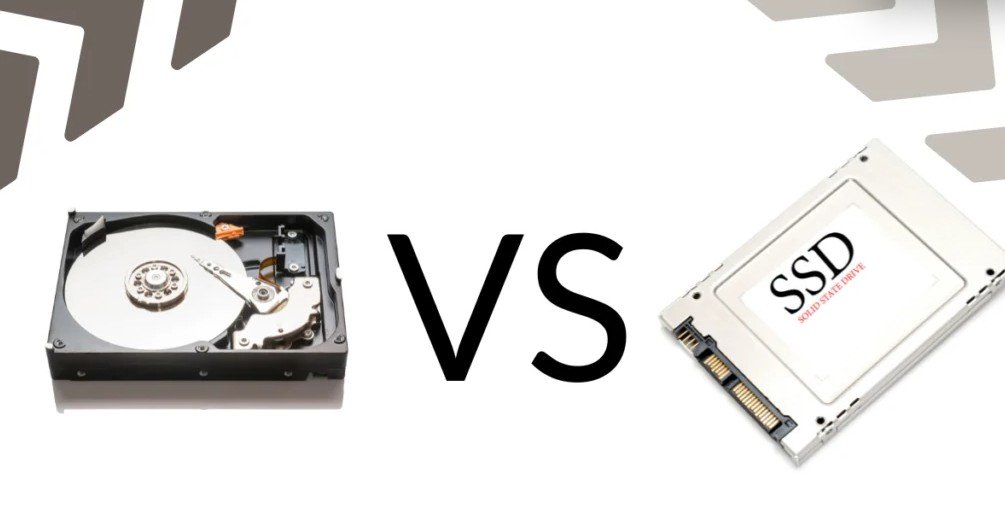
An HDD stores data using spinning magnetic disks and a moving mechanical arm that reads and writes information. Because of these moving parts, HDDs are slower and more vulnerable to physical damage.
An SSD, on the other hand, uses flash memory technology similar to smartphones and USB drives. Since there are no moving components, SSD storage operates much faster and more efficiently.
This technological difference is the main reason why SSDs outperform HDDs in nearly every category.
Faster Boot Times
One of the biggest benefits of SSD storage is incredibly fast boot speed. Computers equipped with SSDs can start within seconds, while HDD-based systems may take a minute or longer.
This speed advantage saves time every single day. Instead of waiting for the operating system to load, users can begin working almost instantly. Faster boot times are especially useful for professionals who need quick access to their files and applications.
Many users notice the difference immediately after upgrading from an HDD to an SSD.
Improved Overall Performance
SSDs significantly improve system responsiveness. Applications open faster, files transfer quickly, and multitasking becomes smoother.
Tasks that usually feel slow on an HDD become almost effortless with SSD storage, including:
- Opening large software programs
- Editing videos and photos
- Running virtual machines
- Launching games
- Browsing large folders
- Copying large files
Because SSDs access data instantly, there is far less delay when performing demanding tasks.
Better Gaming Experience
Gamers benefit greatly from SSD technology. Modern games often contain massive files, detailed environments, and complex textures that require fast loading speeds.
With SSD storage, gamers experience:
- Shorter loading screens
- Faster game installations
- Smoother open-world rendering
- Reduced lag during gameplay
- Quicker updates and patches
Although SSDs do not directly increase frame rates, they improve overall gaming performance and reduce waiting times significantly.
Many gaming PCs now use NVMe SSDs because they offer even higher speeds than traditional SATA SSDs.
Greater Durability and Reliability
Traditional HDDs contain spinning disks and delicate moving parts that can fail if the device is dropped or shaken. This makes HDDs more vulnerable to physical damage.
SSDs are far more durable because they have no moving components. They can handle vibrations, accidental drops, and everyday movement much better than HDDs.
This reliability makes SSD storage ideal for:
- Laptops
- Portable devices
- Travelers
- Students
- Remote workers
Since SSDs are less likely to experience mechanical failure, users often feel more confident storing important files on them.
Silent Operation
One small but noticeable advantage of SSD storage is silent performance.
HDDs create noise because their disks spin constantly while mechanical arms move during read and write operations. Over time, older HDDs may become even noisier.
SSDs operate silently because they use electronic memory instead of mechanical systems. This creates a quieter environment for working, gaming, studying, or watching videos.
For users who prefer silent PCs or minimal distractions, SSDs are a major improvement.
Lower Power Consumption
Energy efficiency is another important benefit of SSD technology.
Since HDDs rely on moving mechanical parts, they require more electricity to operate. SSDs use less power because they access data electronically.
Lower power consumption provides several advantages:
- Longer laptop battery life
- Reduced heat generation
- Lower electricity usage
- Better energy efficiency for data centers
Laptop users especially appreciate how SSD storage helps extend battery performance during travel or remote work.
Reduced Heat Production
Computers with HDDs often generate more heat due to spinning disks and moving components. Excessive heat can affect system stability and shorten hardware lifespan.
SSDs produce much less heat because they lack mechanical parts. Cooler operation improves airflow and helps maintain system performance during heavy workloads.
For compact laptops and gaming systems, lower heat generation is extremely valuable.
Compact and Lightweight Design
SSDs are smaller and lighter than traditional hard drives. This allows manufacturers to create thinner laptops and compact desktop systems.
Modern ultrabooks and lightweight laptops often rely entirely on SSD storage because of its space-saving design.
Portable devices benefit greatly from this reduced weight, especially for students, travelers, and remote workers carrying laptops daily.
Faster File Transfers
Large file transfers are dramatically faster on SSDs.
Moving videos, photos, software, and backups that might take several minutes on an HDD can often be completed in seconds using SSD storage.
Content creators, video editors, photographers, and designers particularly benefit from these higher transfer speeds.
For businesses handling large amounts of data, SSD performance can improve productivity significantly.
Better Multitasking Capabilities
Modern users often run many applications simultaneously. Web browsers, editing software, streaming platforms, and background programs all compete for storage access.
SSDs handle multitasking much more efficiently than HDDs. Systems remain responsive even when several programs are open at once.
This makes SSD storage highly valuable for:
- Office work
- Video editing
- Streaming
- Programming
- Online learning
- Graphic design
Users experience fewer freezes and less system slowdown during demanding workloads.
Longer Lifespan for Modern Usage
While HDDs have traditionally offered large storage capacities at lower prices, SSDs are becoming increasingly affordable every year.
Modern SSDs are designed to handle years of regular use with advanced technologies that improve durability and data management.
For everyday computing, many users now prefer SSDs because the performance benefits outweigh the remaining price difference.
Final Thoughts
The advantages of SSD storage over HDD technology are impossible to ignore. Faster speeds, quieter operation, improved durability, lower power consumption, and better overall performance make SSDs the preferred choice for modern computing.
Whether you are upgrading an old laptop, building a gaming PC, or improving work productivity, switching to SSD storage can transform your entire experience. While HDDs still offer budget-friendly high-capacity storage, SSDs deliver the speed and reliability that today’s users expect.
As technology continues evolving, SSDs are becoming the standard for personal and professional computing alike.
